THE APP SHOWCASE
See the work.
Explore the possibilities.
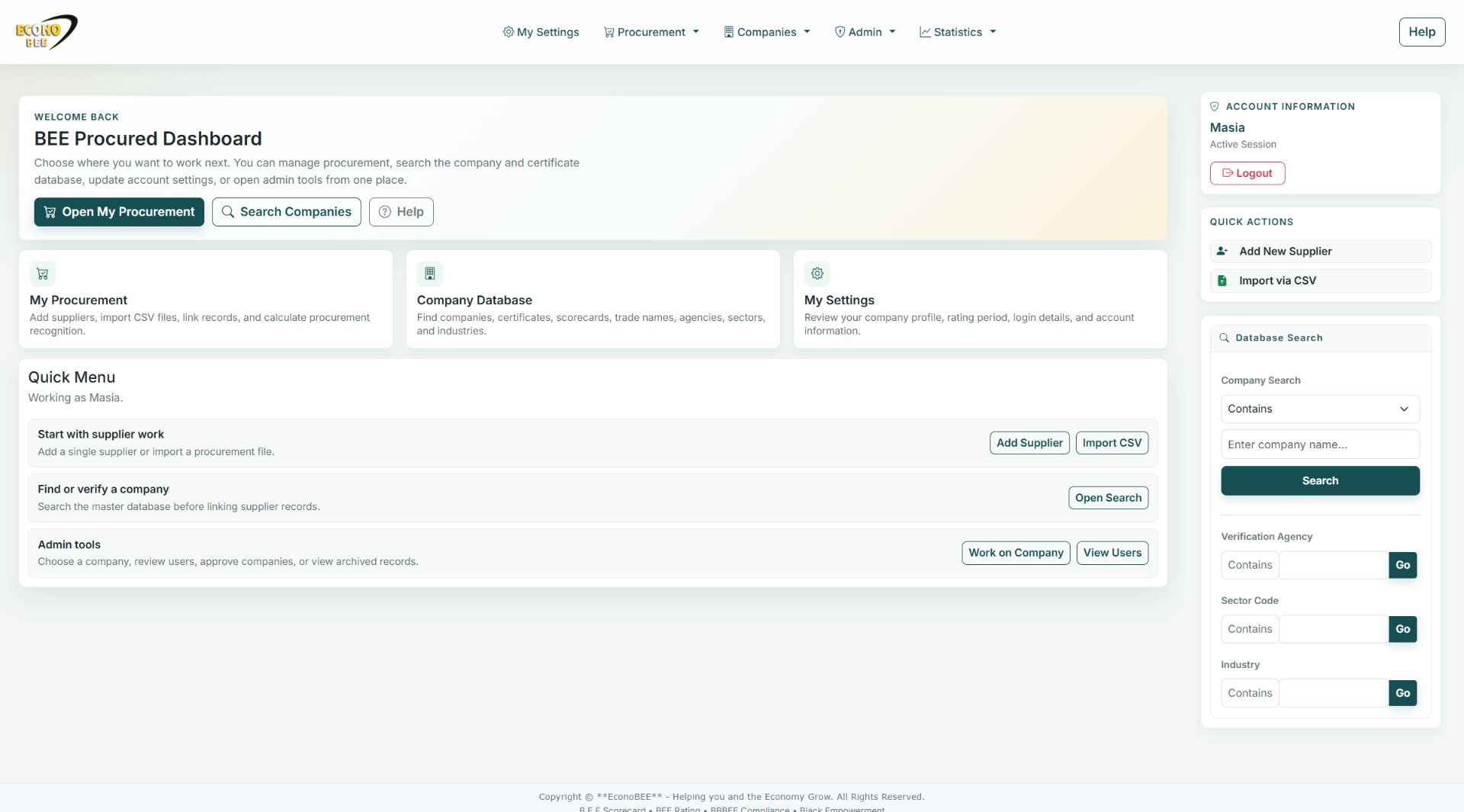
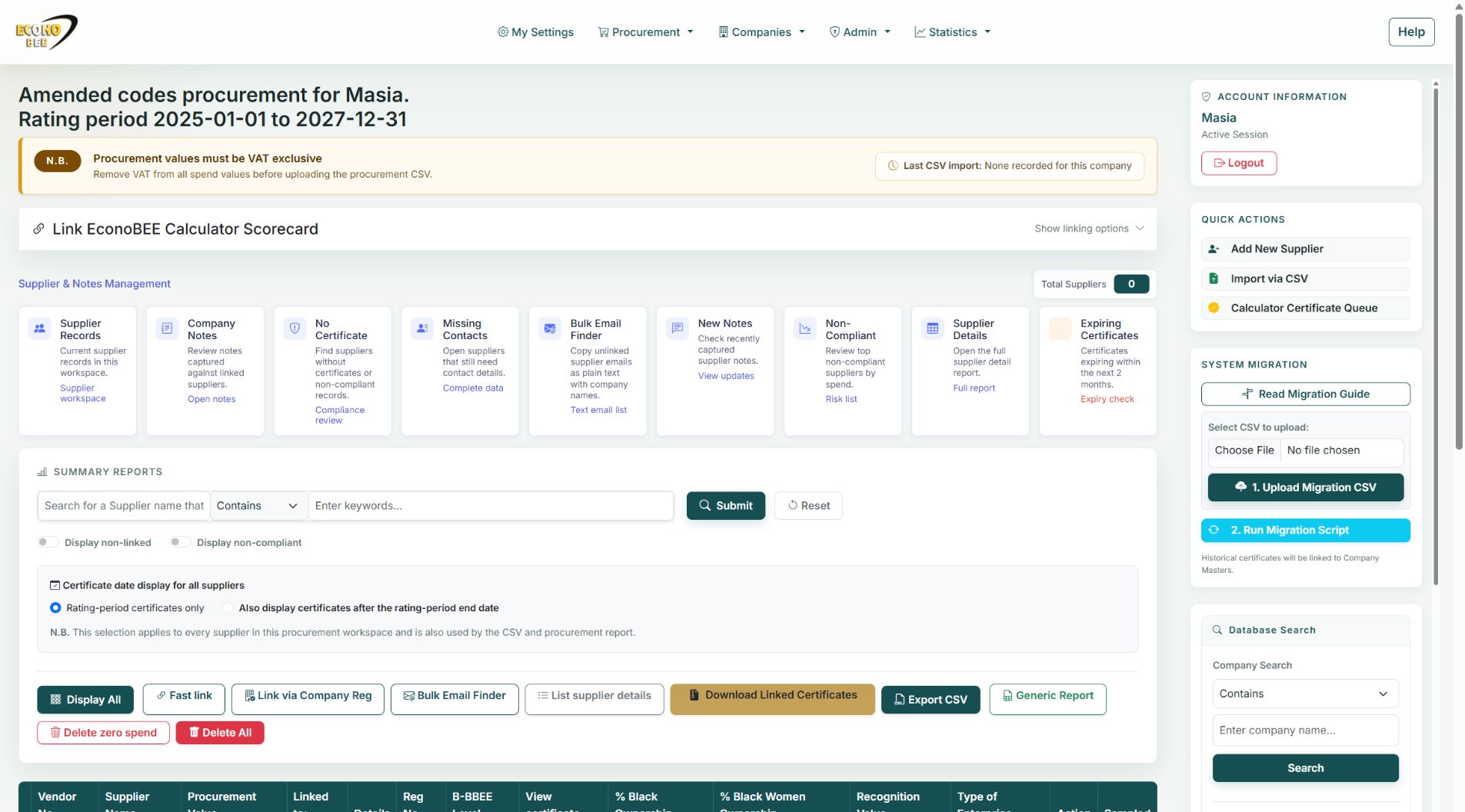
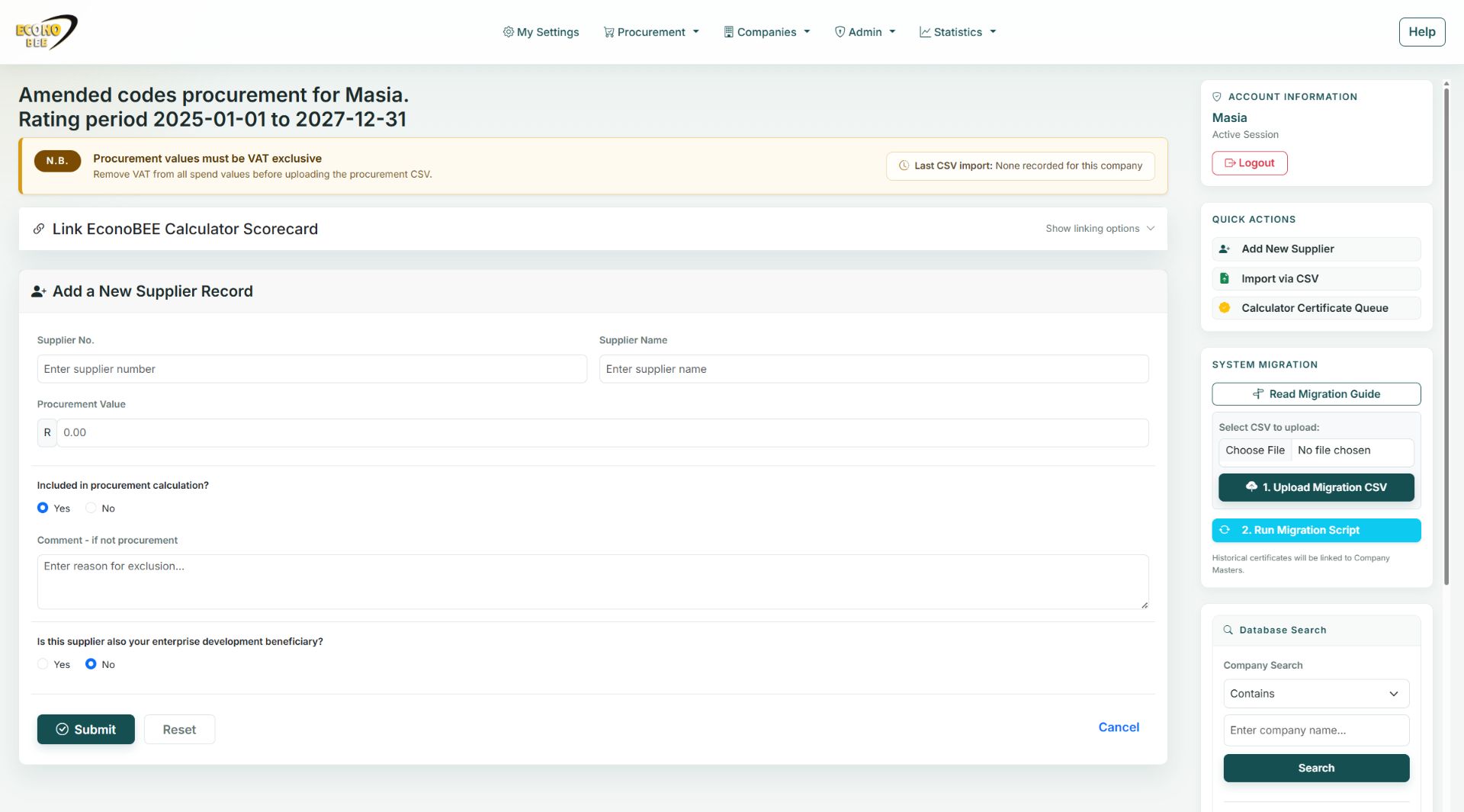
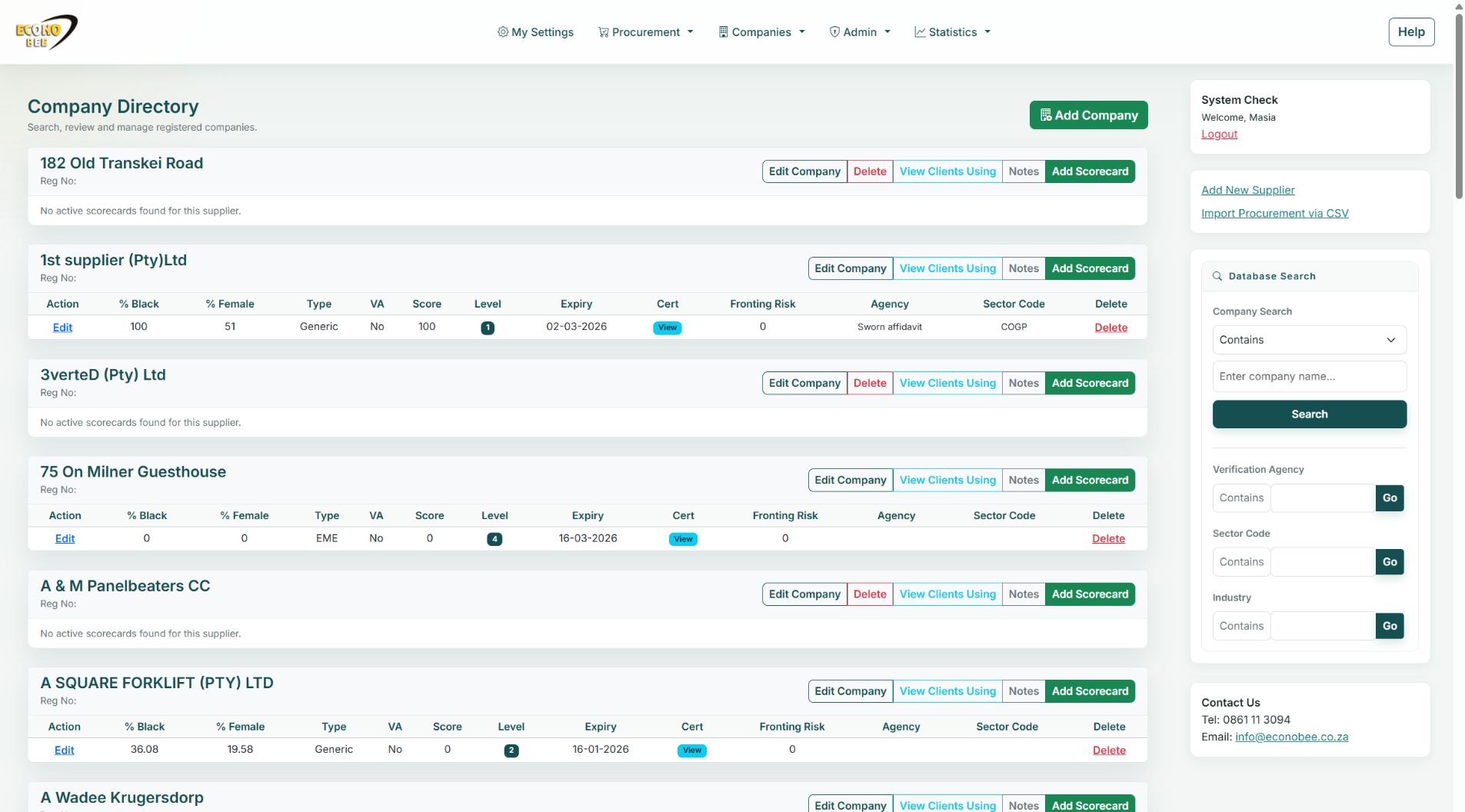
Eleven actual app views. Procurement, company records, certificate governance, sector reporting and administration.
66-second cinematic montage of actual screenshots, with gentle zoom and fades. This is not a continuous workflow recording. The procurement workspace has no suppliers. Restricted actions, record changes and completed assessment results are not demonstrated.
Explore each screen.
FEATURE REFERENCE
What the app supports.
Use this catalogue alongside the captured screens. Listed capabilities include tools that are not demonstrated in the film; access depends on your role and package.
My Procurement
Capture supplier numbers, names and procurement values for your B-BBEE procurement scorecard. Work with the company’s selected sector and rating period, and maintain procurement inclusion and enterprise-development indicators.
Imports & migration
Import suppliers through CSV and review data before proceeding. Staff migration guidance covers company selection, rating periods and historical certificate migration.
Fast Link & company matching
Connect unlinked suppliers to company master records using Fast Link or registration-number matching. Review potential matches before submitting links.
Supplier exceptions & cleanup
Filter non-linked and non-compliant suppliers to prioritise follow-up. Authorised cleanup actions include deleting zero-spend records and clearing a supplier list.
Legacy procurement codes
Access the separate 2007 Procurement Codes workspace for legacy procurement work alongside the current amended-code workspace.
Company workspaces & profiles
Choose a company, work in its procurement workspace and maintain company profile information. Company switching is available to authorised users.
Company approvals & archives
Review newly added and pending company records. Manage archived companies, including restoration and authorised permanent deletion.
Database search
Find companies with contains or starts-with matching. Narrow searches by verification agency, sector code, industry or company profile.
Scorecard follow-up
Identify companies without scorecards and review priority scorecards. Use recent certificate records to track additions and target follow-up.
Supplier contact research
Use Bulk Email Finder to research missing business email addresses on public web pages, then review and save the appropriate result.
Notes & supplier history
Record and review notes alongside company and supplier work. Open supplier activity and history reports to understand previous actions.
Certificate viewer & downloads
Preview linked evidence without leaving procurement, move between documents and download linked certificates as a package for the active company.
Certificate Pre-Screening
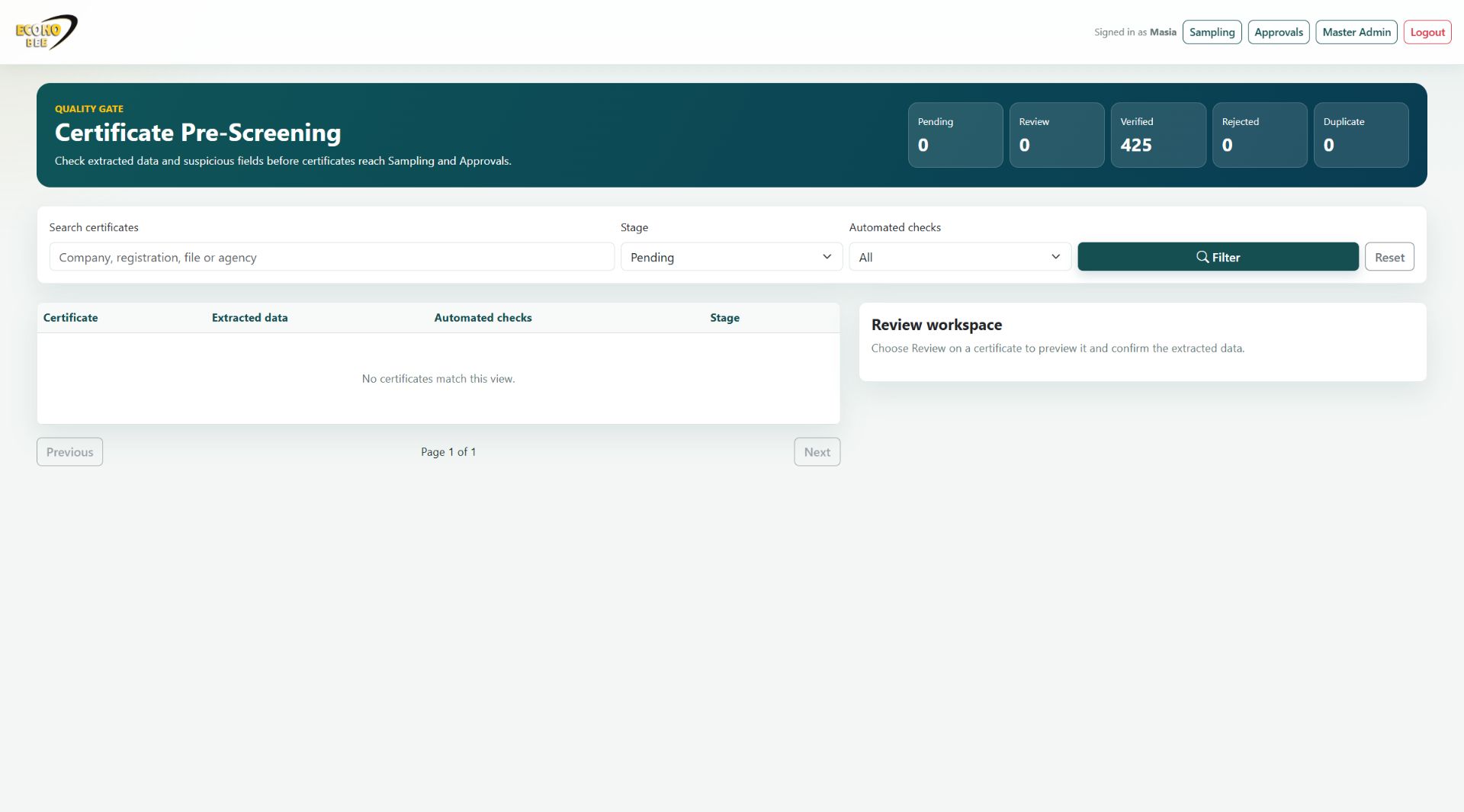
Check extracted enterprise, level, ownership and expiry details alongside automated flags. Record reviewer notes and mark evidence verified, needs review, duplicate, rejected or pending.
Certificate Approvals
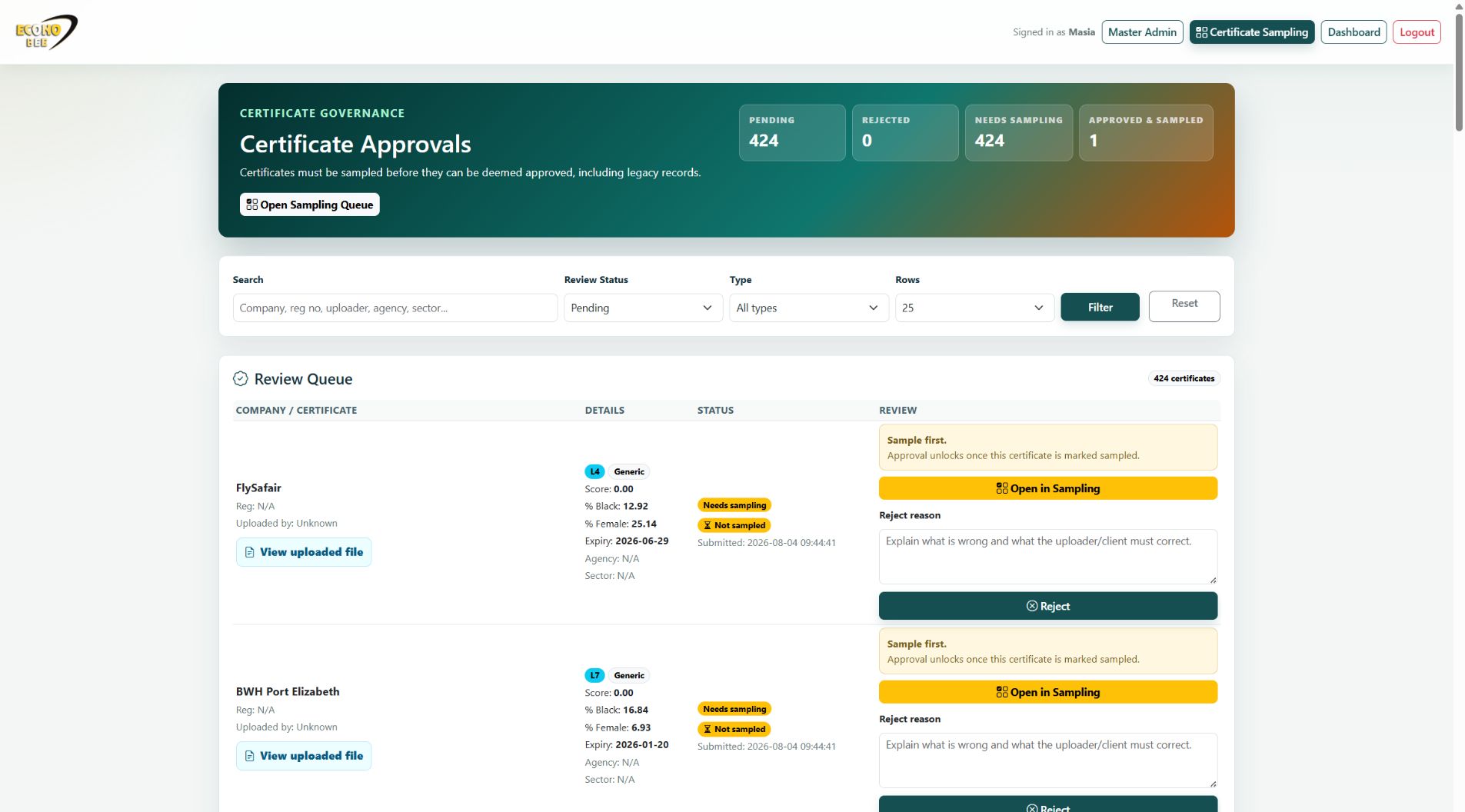
Filter the review queue by search, review status and enterprise type. Approve evidence or record a rejection reason for correction and follow-up.
Certificate Sampling
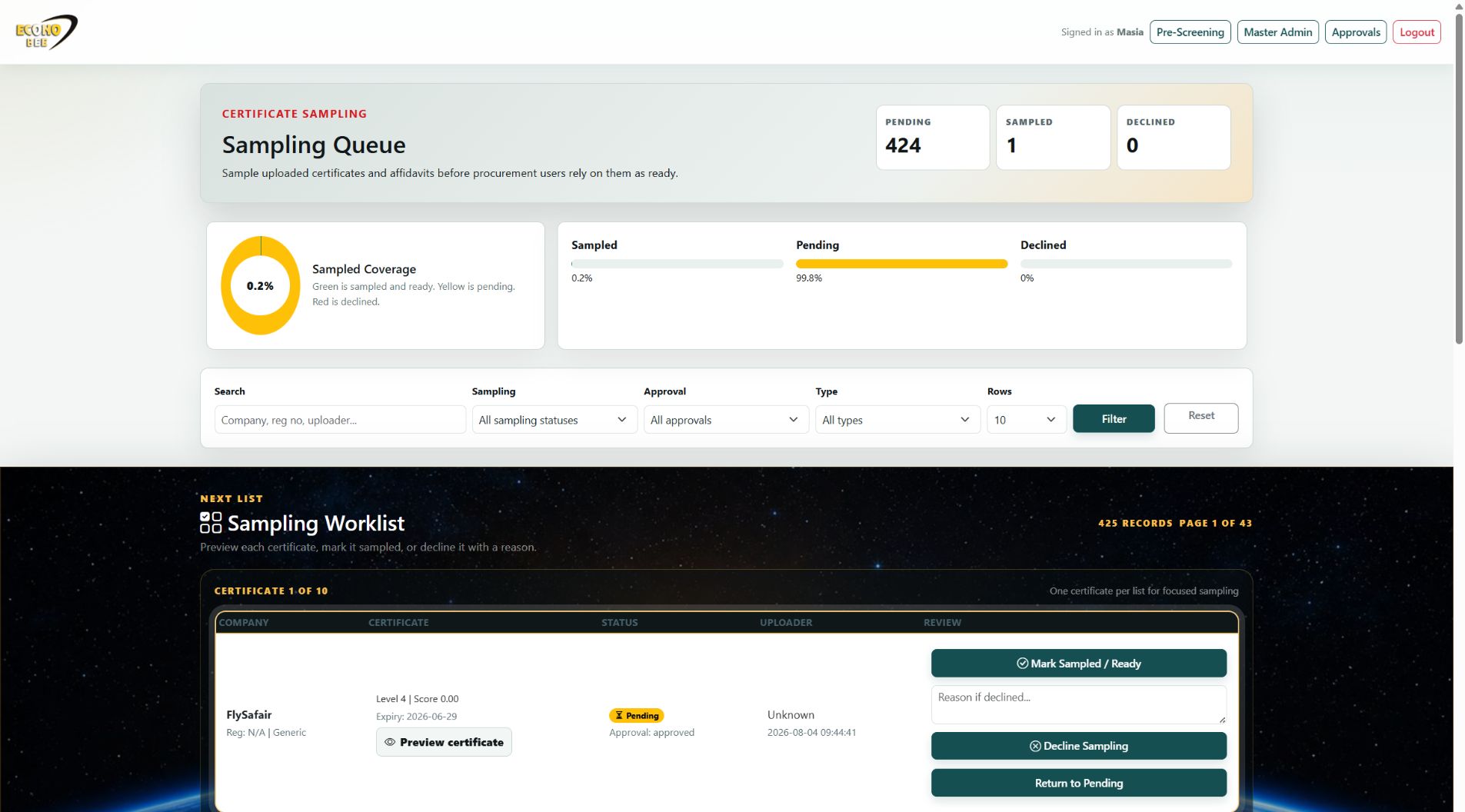
Track sampled coverage, filter by sampling and approval status, preview evidence and record sampled/ready, declined or pending outcomes.
Procurement reports & exports
Export CSV and spreadsheet procurement reports, including report formats selected for the company’s assessment type. Review supplier spend and procurement results.
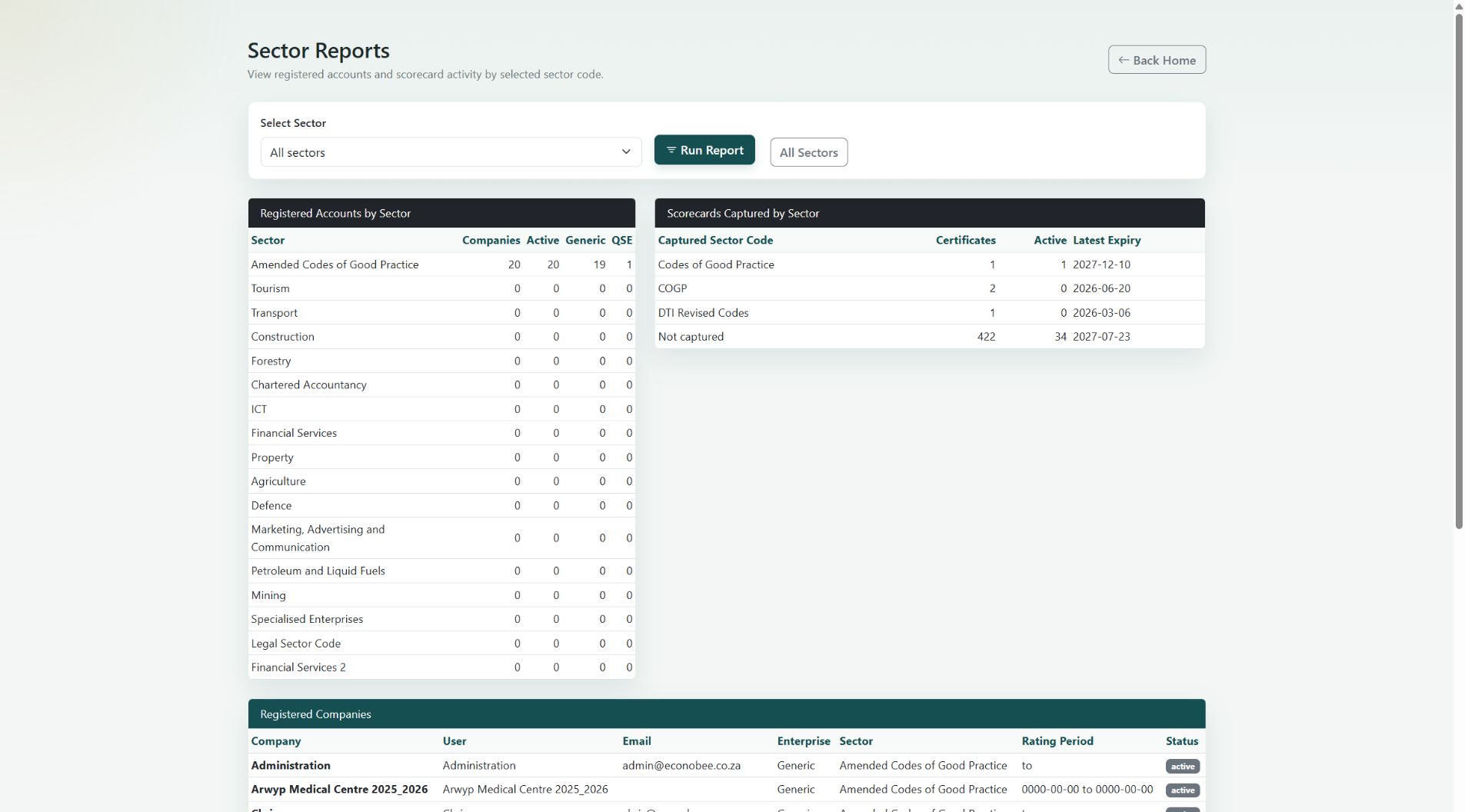
Sector reports & statistics
Review B-BBEE procurement results in the context of the selected sector scorecard. Run sector reports and review statistics and compliance statistics. Access depends on the user’s role.
EconoBEE Calculator connection
Link a company using an EconoBEE link code when procurement must connect to a calculator scorecard. Confirm the required setup for the connected workflow.
My Settings & account access
Use My Settings for account settings and the existing login and logout flows for workspace access. Authorised staff can register accounts and view users.
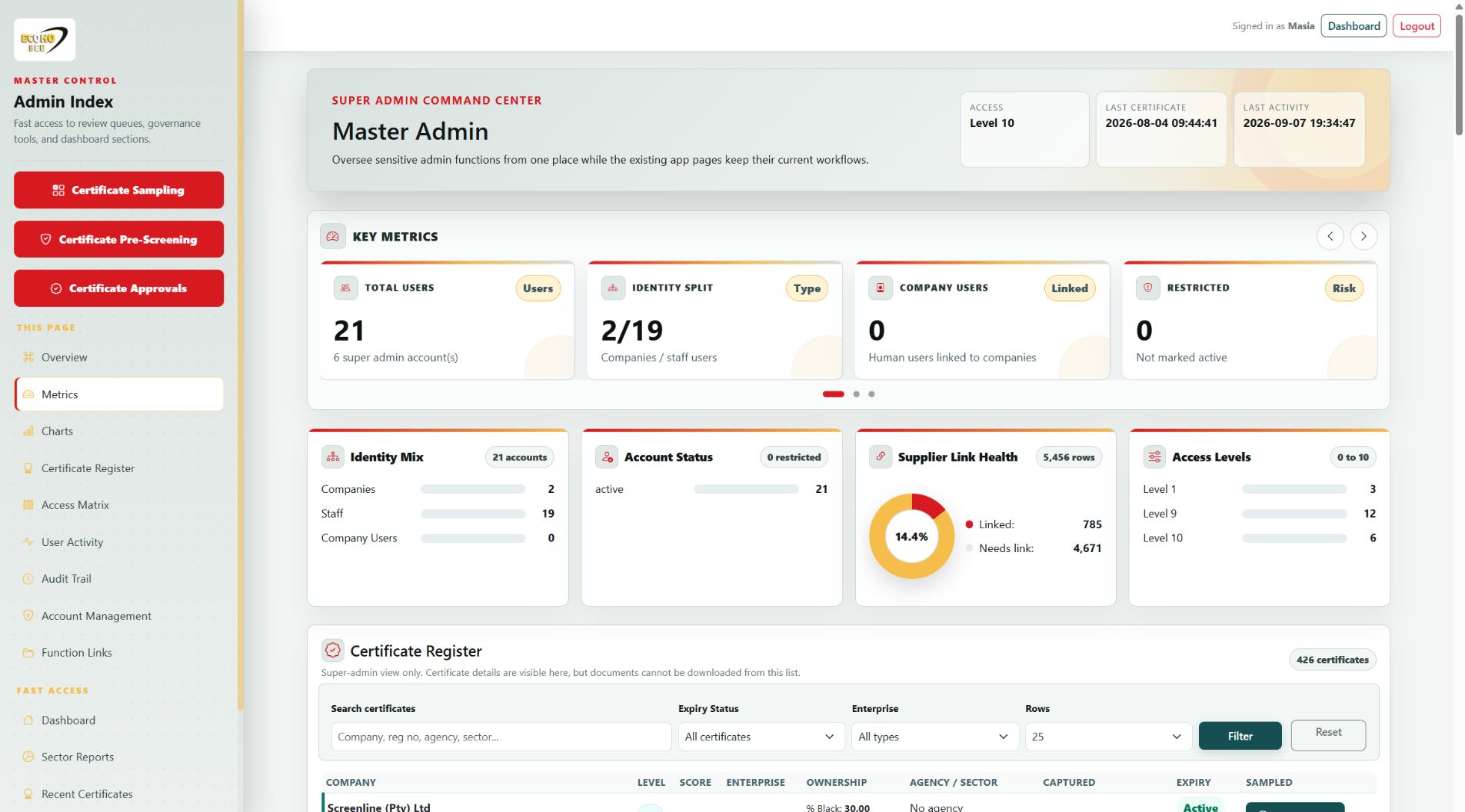
Master Admin suite
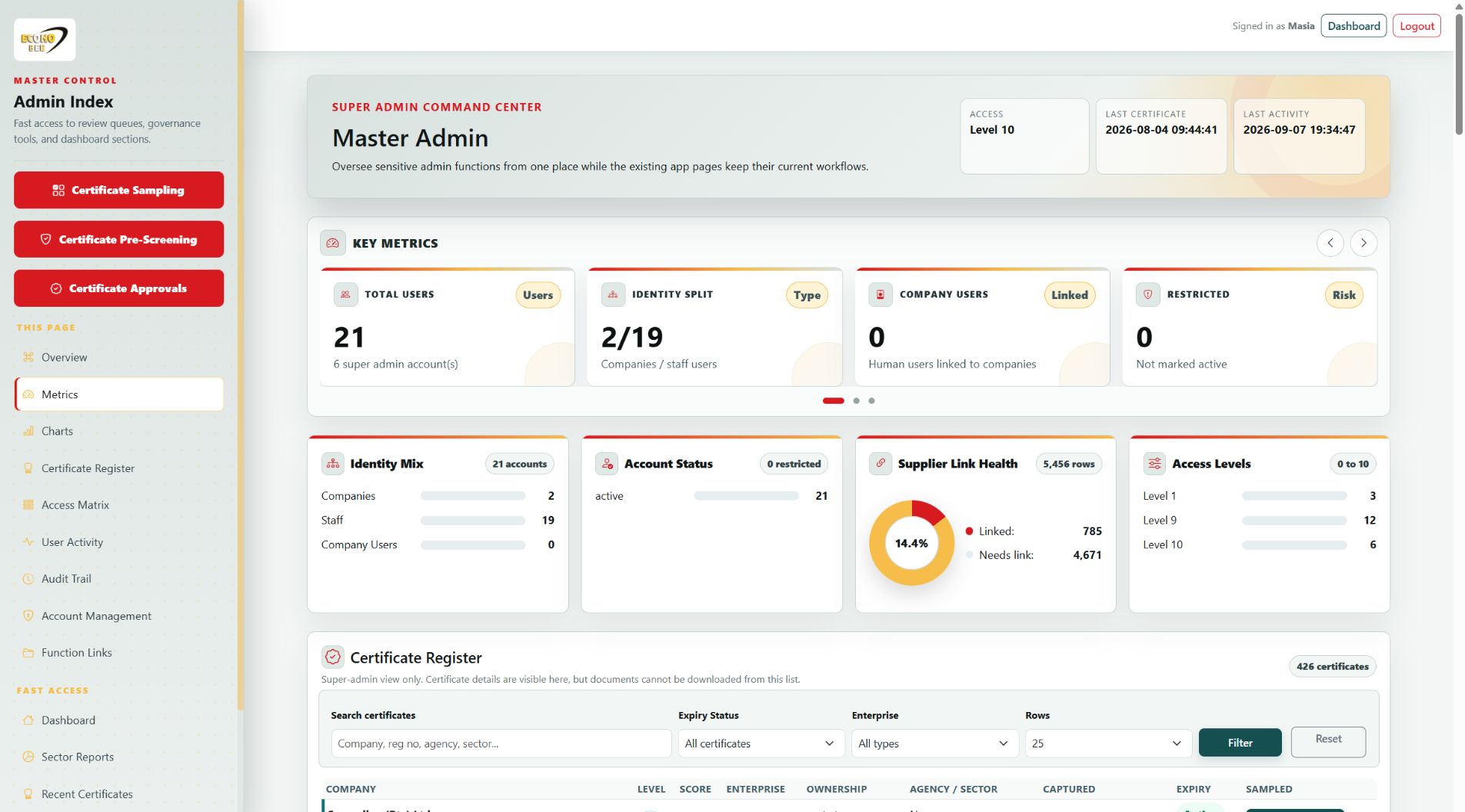
Explore dedicated metrics, charts, account management, the access matrix, certificate oversight, user activity and audit history.
Explore every Master Admin area →Overview & Key Metrics
See account and company counts, staff and company users, restricted accounts, active and archived companies, scorecards, supplier tables, unlinked suppliers, missing scorecards, notes and logs.
Charts & Identity Summary
Review Identity Mix, Account Status, Supplier Link Health and Access Levels charts, with an identity-and-state summary to understand how accounts are organised.
Certificate Register
Search certificate records and filter active or expired evidence and EME, QSE or Generic enterprises. Review level, score, ownership, agency, sector, capture date and expiry; authorised users can update sampled status.
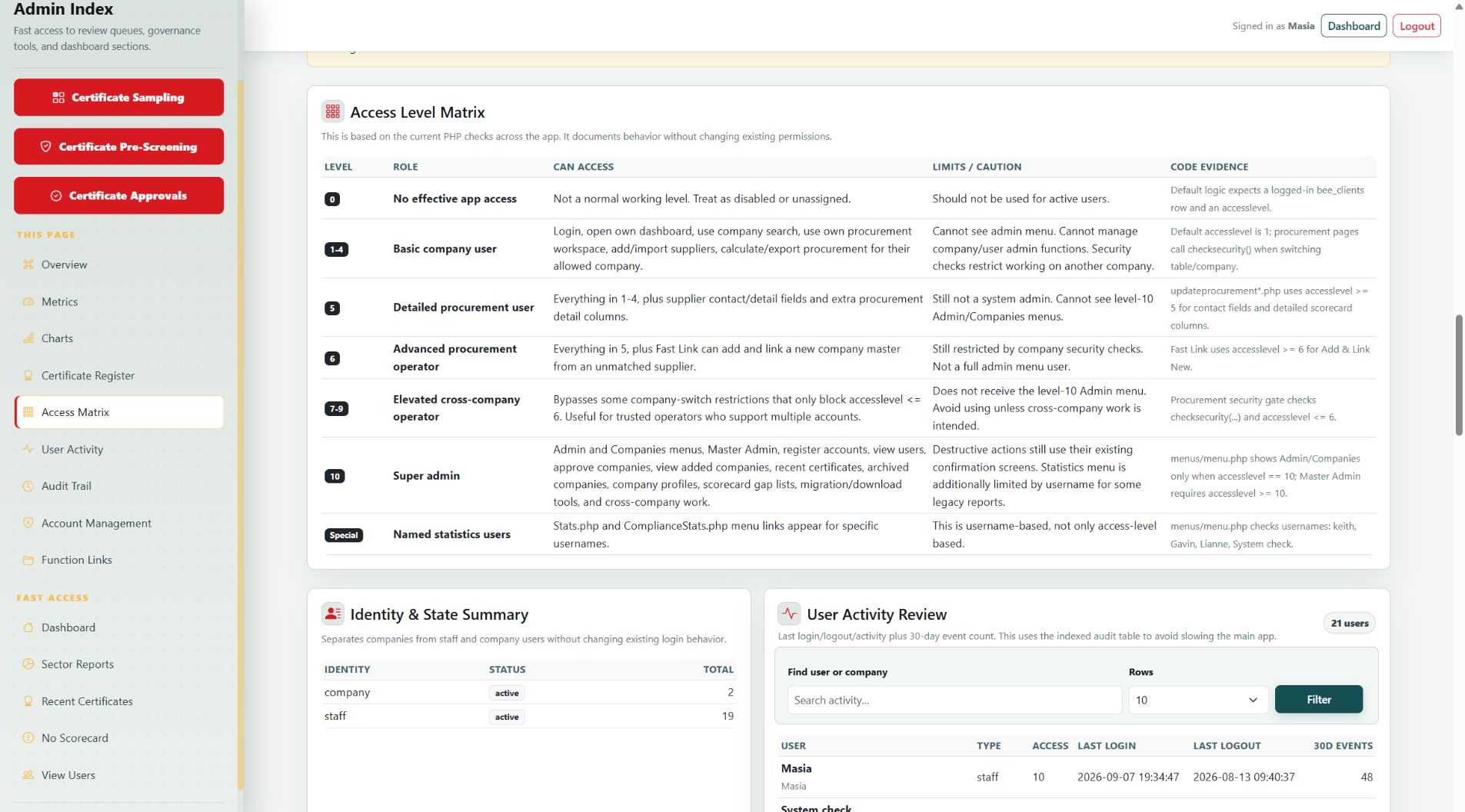
Access Level Matrix
Review the app’s access levels, associated roles, available functions and limits in one reference view.
User Activity Review
Search users and companies, review last login and logout times and see event counts over the last 30 days. Change row counts and page through results.
Audit Trail
Search logged activity and filter by event. Inspect the time, user, identity type, company reference and details of recorded events.
Access, Identity & State Management
Browse company, staff and company-user accounts. Filter by name, status and access level, then manage identity type, account state, company or staff state and numeric access level.
Password & Account Controls
Authorised administrators can reset passwords, generate replacement passwords, and delete accounts through the available account controls.
Protected Data Reset
A protected maintenance workflow supports a full company and certificate reset while preserving staff. Password verification and a separate final confirmation are required.
Accounts & Users links
Open Register New Account, View Users, Choose Company and Work on Company directly from the function links.
Companies & Scorecards links
Reach Approve Companies, Added Companies, Companies without Scorecards, Priority Scorecards, Recent Certificates, Certificate Pre-Screening, Approvals and Sampling.
Procurement Operations links
Open My Procurement, Fast Link, Link via Company Reg, Download Linked Certificates and the 2007 Procurement Codes workspace.
Maintenance & Risk links
Reach Archived Companies, Company Profiles, Display Notes, historical certificate migration, Stats and Compliance Stats.
Admin Index & Review Queues
Use the sidebar index to jump to metrics, charts, certificates, access, activity, audit and accounts, or open the dedicated screening, approval and sampling pages.